Tampilkan postingan dengan label Android Apps. Tampilkan semua postingan

Top 5 Free Best Android Launchers 2013

Posted by Unknown Jumat, 18 Oktober 2013 0 komentar
Are you bored to stick to the default Launcher on your Android Mobile! Then try these cool and top android launchers on your Android Mobile and Supercharge your Mobile from our Launchers Collection.Here in this article we listed 5 best Android launchers like Launcher 8,iOS launcher and many more..!!

best+android+launchers+2013

1.Nova Launcher:

This is best Android Launcher we personally recommend this to any one who want to try the custom android launchers. There are so many better launchers when on Google app marker,but when compared to stability (it will not crash)  no other launcher can beat Nova Launcher, This the main reason why we recommend to people who are trying custom launchers for first time. And this launcher is fast too.
  • The User interference of Nova Launcher is awesome and simple suitable for any type of user.
  • You can Download Nova launcher from Here
  • Nova launcher is also available in premium version.

2.Go Launcher:

This is best launcher we recommend to advanced users.GO launcher has so many features And it has amazing user interference. Go Launcher has so many awesome themes. I am sure that you will be in confusion to choose your theme!.Go Launcher has so many customization's options in free version when compared to other launchers.And it is packed with some essential widgets and plugins.
Go+launcher

3.Launcher 8:

If your a fan boy of Windows Phone or if you just want to try the user interference of windows phone then this Launcher is for you.There are so many windows phone 8 launchers on android market but we found this app to have more features when compared to other windows phone 8 launchers.
  • This launcher is worth trying Launcher 8 is available for Android 2.0 and up.
  • You can Download launcher 8 Here.There is also a paid version of the is app
  • Requirements: Android 2.0 and above
Windwos+launcher

4.Apex Launcher:

If you did not like the Nova and Go Launcher then this launcher is for you.Apex Launcher is simple and powerful launcher with tons of features. You can really enjoy your mobile with Apex launcher's themes and customization.
apex+launcher

iOS Launchers:

If you want to feel the iOS on your Android mobile then these launchers are absolutely for you.You can enjoy the iOS on your Android Mobile and

5.Hi Launcher:

  • There are so many iOS launchers for Android phone but very few are good. Hi Launcher is one of few best iOS launchers available for Android Phone..!!
  • You can Download iOS launcher Here
  • Requirements : Android 2.2 and above
Hi+launcher

6.Espier Launcher:

  • This is also one of the best iOS launcher available for Android users.!!
  • You can Download launcher Here
  • Requirements : Android 2.2 and above
espier+launcher


Baca Selengkapnya ....

Amazing Ways On How To Download Android Paid Apps For Free

Posted by Unknown Rabu, 16 Oktober 2013 0 komentar
Android is a very great platform for applications and because it has a lot of application in Google play store but most of the reasonable apps are mostly paid which sometimes are cheap or a little bit expensive. But since these paid apps are sometimes our favorite we need to find a way to to download these paid apps for free. There have been different ways and method on how to download android apps for free easily. These method allows android users download paid apps all for free with any form of charges.


Previously, there have been apps that you can use to download android paid for free and also popular free android apps are also available there, this app is is called Applanet but there is a problem with the app, just you download a android app from the applanet and try to install it, they end up corrupt or bad so because of this the applanet can’t be advised to be the best place to download android paid apps for free. So because of this we have to look for other solution to enable us download these favorite android paid apps for free.

So in the quest of looking for ways to download these paid android apps for free and which has loads of free paid android apps downloads available I found these crazy and amazing methods which are working.
Methods Used To Download Android Paid Apps For Free

1. File Sharing Sites


There lots of paid android apps available to be downloaded all for free, The paid apps are uploaded by good android users who have downloaded the apps and felts like sharing it to the public such as you that needs the apps now, so when you pay for an app you can also share it to other who can not afford it by uploading them to the File Sharing sites so that people can download paid apps from there for free easily.

There are many file sharing sites available online but looking for the popular file sharing sites matters because a lot of users will use such sites to upload the paid android apps


Now when visit this site and want to download a particular app, what you should do is to type the app’s name followed by .apk which android apps formats. For example the name of the android paid app you want to download is “BasicTechTricks” so in the search bar type “BasicTechTricks.apk” these will give you the app you want to download.

These easy part is that 4shared and mediafire apps are available in the market so you can download the file sharing apps on your android phones or tablet and search for apps through them and download the apps directly to your smartphones and not through a computer.

2. BlackMart Alpha app for Android


This is another great method which helps download paid apps for free through a simple app called BlackMart Alpha app, this is a single app which all paid android apps are available for you to download all for free, different apps from the popular android paid apps to the popular free android apps; they are all found in the app. So how do you get started? 

First, you need to download BlackMart Alpha App from the store and install it after installing it. Open the app and you will see the same design with that of android market which makes it easier for you and you will be able to navigate through the app well enough. 

You will see a list of paid apps such as games and normal different apps all for free, so you can download the apps you want all for free and you can also use the search box and type the android paid app you want and get it for free.
When you have searched for a particular app you will see the apps displayed in the result of the search comes with the prices, just click and install the apps directly to your phones and face no issue.

But Note any app you download from BlackMart Alpha do not download it even if a notification shows up because it might end up corrupting the app totally.

Note:


Downloading of paid android apps for free through these methods are illegal and we don’t not advice you to do this but if you do it you are totally on your own. After using any of the methods and you face any problem comment below.
So Now You Know How To Download Android paid apps for free

So know this method are not meant to be abused and you can use it and make your android device among others download android paid apps for free using this method and watch how people will admire your android device. Please leave a comment and you can also subscribe for our updates straight to your email for free.


Baca Selengkapnya ....

Top 8 Best Battery Saver App For Android Devices

Posted by Unknown 0 komentar

Android device is a well developed device and you as a user will want to make full use of but knowing the best battery saver app for android is also a good thing as these apps will help you optimize your android device and make sure your battery is well used and actually last longer than the normal battery duration without the apps.

android battery level

List Of The Best Android Battery Saver Apps

1. Easy Battery Saver

easy battery saver app for androidHaving Battery problem has found a solution, if you are facing battery problems and you don’t have enough power to charge your device regularly then you have found a solution, Easy Battery Saver which is a good battery saver app for android devices. The battery app simply rocks with a very interactive interface for users it also allows you to select a plan out of four battery plans for your android device which are General Saving Mode, Advanced Customized Mode , Super Power Saving Mode and Normal Mode. This is totally a awesome app.

2. Du Battery Saver & Switch Widget

du battery saver app for androidHow can I mention the best battery saver app for android without mentioning this app, this is a great app which helps extends the battery life of android devices, the Du Battery Saver app with it great features such as one touch controls and pre-set modes, while using this app you can actually check the temperature, health, status and more. when you hit the optimize button in the app it close all background apps you are not using. Amazing right?

3. Battery by MacroPinch

battery by micropinch saver app for androidBattery is also a awesome app which shows you your batter level before you think of taking an action, so if you are about to play that battery draining game, you should check battery and see if the current battery level can take it or you should just not play the game due to the low battery level, the android battery saver app actually has a UI interface making it cool.

4. NQ Easy Battery Saver

nq easy battery saver for androidThis is another incredible battery saver app that performs two major function which is make your android battery last longer and makes your device faster in performance so it simple incredible, the app also has some new features such as telling you when time duration of your battery, shows you your backgrounds and also allows you to lock your app, thereby optimizing the battery life of the android battery.

5. Battery Doctor (Battery Saver)

battery doctor the battery saver for androidA friend actually told me about this app and I totally find it cool, if your device goes out power fast and without notifying you then this app is for you the battery doctor and tries to make sure the battery of the android device last much more longer than expected and also notifies you when your android device battery is low, so you have the chance to close whatever you are doing. You can optimize your battery in one click and you are good.

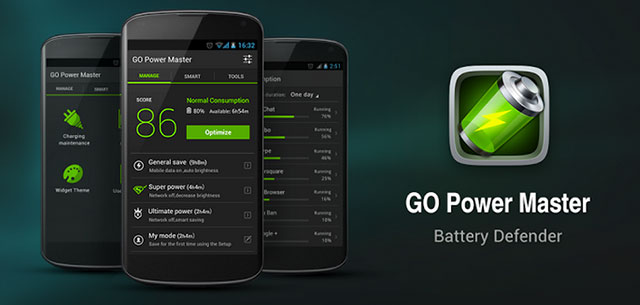
6. Go Battery Saver & Widget

go battery saver for androidGo battery saver is a very good battery saver app that why it is among the best battery saver app for android list, the app extend your battery duration by 50%, yes it does, it does this by optimizing your bluetooth, Wi-Fi, audio, screen brightness, mobile data and any other thing that seems to be draining your battery.

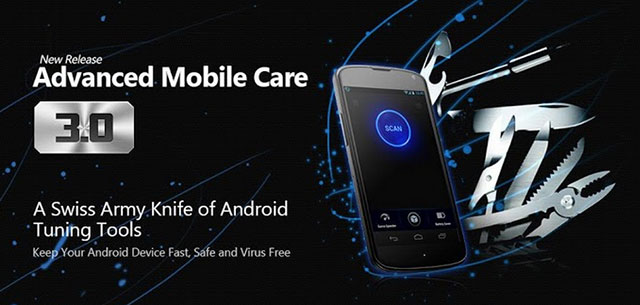
7. Advanced Mobile Care

advance  mobile care for android batteryThis is a all in one app and a must have for all android users, the apps helps to increase your battery duration and not only that it does virus scan and if you are a gamer, it as a feature called game speeder which makes better to play games in as it allows your game go smoothly without and disturbance. This app is a very good android battery saver for everyone.

8. Juice Defender & Battery Saver

juice defender battery saverJuice defender as the name says, defends the juice drainage of the battery but monitor the apps that are consuming the battery, the android battery saver app still Schedule synchronization events and auto-toggle WiFi. Juice Defender is one the best battery app for android.

Conclusion On The Best Android Battery Saver App

All these above apps are simply awesome and they really do what you expect them to do which is to maintain your battery and monitor apps that are draining your battery and simply tell you about them, which to me is super cool, so if your android battery is facing problems like this, then you need one of these apps simply because they are best battery saver app for android .

Baca Selengkapnya ....

Top 5 Free Best Antivirus for Android Phone or Tablets

Posted by Unknown 0 komentar
Best Free Antivirus for Android Devices. Here in this article I listed the best 5 antivirus for Android mobiles and tabs.
Top-5-Best-Antivirus-for-Android-Phone-tablets


1.AVG Anti-Virus App For Android:

AVG-Mobilation-For-Android-Tablets
when you download AVG Anti-virus and install on your mobile or tablet it shows screen alert like in below picture. By touching the screen you can perform the scan.
  • It is a free anti virus software, which helps you to protect your mobiles from virus, malware and spyware.
  • It provides some other features like ANTI THEFT ,SMS SCANNER,TASK KILLER etc.
  • It protects your mobile when you use internet on your mobile.
  • Download AVG anti-virus from ANDROID MARKET.

2.Look Out Mobile  Antivirus:

Lookout-Mobile-Security-Scanning

  • Look out anti virus for mobile is one of the best android anti virus softwares. It keeps yours tablets and phones safe and secure.
  • you can run the app any time and scan for virus.
  • It protects your mobile when you use internet.
  • It also provides some other features like back up,Anti theft this helps you when you loose your mobile,protection and many more.Only defect is it consumes more battery power.        

3.AVAST Mobile Security:

Avast Mobile Security provides complete Android antivirus protection, to keep you safe from malicious apps.
avast+anti+virus

  • It has a Web shield that scans URLs for malware.
  • It provides many features like Block hackers,Browse without worry,Anti theft and many more.
  • Click here to download  AVAST Mobile Security

4.Dr. Web Antivirus Light:

The name it self says that it is specially designed for Android mobiles and Tablets.It protects your mobile from malware,virus and spyware.
dr+web
  • The application does not affect the operating system performance,and does not reduce the battery life.
  • It keeps your mobile safe while browsing and also provides other features like call blocking,back up,Anti theft and many more.

5.Zoner anti virus:

Zoner Anti Virus Free is a powerful security solution for Android phones. The app provides protection against viruses, dialers, trojans,worms, spyware, adware and other malware, as well as protection against spam by blocking unwanted SMS/MMS.
zoner.android.antivirus
  • You can test the antivirus using apps containing the EICAR test file: Zoner AntiVirus Testor EICAR Anti-virus Test or Antivirus TESTVIRUS
  • Click here to get Zonor Anti Virus 

Baca Selengkapnya ....

How To: Download apps from Google Play directly to your PC

Posted by Unknown Rabu, 09 Oktober 2013 0 komentar
We have been testing and reviewing a lot of Android phones and tablets in the recent past, and we definitely need to keep a few apps for bench-marking and other such information. In order to do the same, we initially need to set up wireless networking, punch in the credentials of the Google account, then search for the needed apps and download them. Downloading apps from the Google Play Store requires an account and hence the entire exercise. This is not only time consuming, but also painfully slow at times when the Internet connection is down or weak. In order to get things in the fast lane, we use an app to back up the apps and save them on the PC. On the other hand, as we all know, most apps keep being updated by their developers and tracking the updates is not possible if we do not have the Google account setup on the Android device. This means doing the same thing all over again and hitting the 'Update App' button every time we have to test a new device. 
Real APK Leecher
Real APK Leecher


Many others who constantly do ROM installations and updates on their Android devices would also like to keep a backup of the apps. Installing apps directly from the SD card not only saves downloading time, but also helps you save money by using the Internet on 3G connections. You can save apps to the SD card using third-party apps such as File ExpertTitanium BackupApp Monster and other such utilities, but they only save the currently installed apps. So then, what about new updates for the apps? Updating the app is only possible after installing it and then running the Play Store to check for any updates.  
Setup the utility
Set up the utility


In order to overcome this obstacle, we found a Windows-based utility on the XDA forums, developed by the ‘Codeimba.com’ team from Vietnam, called ‘Real APK Leecher’. The software is a JAVA-based utility, which connects to the Internet and the Google Play Store online. The utility needs to be filled with the details of your Google account and the Device ID of your phone in the options. Once the necessary details are filled, it can be used to search and download apps from the Play Store. You can also specify a folder where you have existing apps stored so that they can be scanned and checked for any updates. The apps and updates can be downloaded to a folder of your choice. Read ahead for a walk through on how to get the app and set it up on your PC.
Get your Device ID
Get your Device ID


Download the Real APK Leecher utility from here. Download the archived ZIP file and unzip the contacts to a folder on your desktop. Now open the folder and run the file ‘Real APK Leecher.exe’. Since you would be running the utility for the first time, the options (Configuration window) will be shown. In this window, you will need to give in the details of your valid Google email address, the password to the email account and the Device ID. The device ID will be available on your phone itself; you need to extract it using a simple code on the phone dialler. Start the dialler on your phone and punch in the below mentioned code:

                                         *#*#8255#*#*

The details of this procedure are also provided in the same window where these details need to be fed in the utility.  If you are using a tablet, the phone dialler will not be available. You can download an app called ‘DeviceID’ to get the details of your tablet. These settings need to be done only once, unless you change the phone, tablet or Google account. Further, you have the choice of showing the number of records between 10 to 30 apps on the page while searching for apps. Next, choose the language and country, leave the SIM Operator Number as empty (default) and enter the location to save the downloaded apps along with the location for the folder where your apps are already downloaded and need updates. After these settings are done, you can click on the Save button and the utility will start.   
Search for the app you want to download

Download the app
Set the download location

Set the download location
Download the app


Note: If you make any mistake in the settings, especially with the email address, password and device ID, the utility will not work as it will give you an error in logging into your account. Double-check your settings if you get any errors.

Now that the utility has started, you can search for the app using its vendor name, package name or custom name in the search bar. Depending on the choice you made earlier, the number of searched apps will be listed in the window below. To download the app, simply click on it once to highlight the entire field, then right-click on the line and select the download option.

Note: The searched apps will have both free and paid versions showing up and you can only download free versions. If the app is a paid version, you will not be able to download it, as there are no options for payment through this utility. You can hit the Google Play link to go to the Play Store and do the necessary payments there. If you have already paid for the app earlier, then you can download the app without this extra step. 
Check for app updates on your PC


To check for updates for your already downloaded apps, you can right-click on any app in the list and click on the ‘Scan Existing Folder’ option. The utility will then ask you one more time if you want to scan the folder you previously entered in the options or any other folder on your PC. Click on OK and the utility will scan every app in the specified folder and list the entire content of that folder. Each app will be listed with icons, which will specify if there is an update available for any of the apps. The icon with the exclamatory mark in a triangle is the one with updates available. Next, right-click on the app and click on the download option. Apps that are not available on the Play Store or are pirated will show up with a question mark, whereas the ones with the green check mark are apps that have no updates. 
Existing app updates are shown with exclamatory symbols
Existing app updates are shown with exclamatory mark symbols


You can also use this utility to download apps that are not available in your country by changing the SIM Operator Number in the options field. Apps that have carrier restrictions can be faked to get the apps downloaded. To do this on your phone itself, you need to have a rooted phone and market enabler app. Using this utility, you can do it without any hitch. The SIM Operator Number (SON) for various mobile carriers around the world can be availed from here. The SON is a combination of the MCC and MNC numbers. SON = MCC + MNC. For example, Vodafone IN Mumbai has MMC number 404 and MNC number 20, which makes the SON 40420. Enter this number in the SON field in the options window.

Baca Selengkapnya ....

AirCover Security app review

Posted by Unknown Senin, 07 Oktober 2013 0 komentar
Aircover-opening-page-635.jpg
Smartphones may have become more powerful, but are now also more susceptible to virus attacks, apart from the usual threat of getting lost or stolen. A security solution therefore is very much a necessity in these times.

BlueSprig's recently released AirCover Security app is a newcomer to the mobile security app segment when compared to apps from Norton, McAfee, AVG and Kaspersky.

Like most Android security developers, BlueSprig offers AirCover Security app as a free download from Google Play store. It comes with features to guard against malware and theft, help enhance your privacy, block unnecessary calls and messages, mails, and safeguard you on the web, as well as optimize your mobile's system.

While the free version of the AirCover Security app does offer most features available in the premium version, such as Anti-virus, Anti-theft, Web Protection, Privacy Advisor, Call and SMS Blocker, and Performance optimisation, the premium version offers Virus Database Auto Updates, Premium Anti-Theft Features (including 'Intruder alert', SIM removal alert, remote lock/wipe), Anti-surveillance, and a Vulnerability scan in addition. We got our hands on the Premium version of the app, which retails for $19.99.

Interface

On launching the app for the first time, you are given a brief overview of the services AirCover Security app provides. Swiping from top left to the bottom right of the screen will take you through the guide, and at last, you will be prompted to either sign into your AirCover account, or skip the sign-in to configure your account at a later time.

Aircover-security-update-databse-635.jpg
AirCover Security's user-interface is quite simple and very similar to other security solutions like Norton. The top of the app's homepage houses a status that shows how well is your device doing ,if it is safe or at risk. Below the status, you can find the 'Checkup' option which, when used, checks the various features of the smartphone like anti-virus, real-time protection, system performance, anti-theft and backup contacts.

Thankfully, AirCover Security keeps itself out of the notification bar, so unless someone is actively managing the security app, you won't notice it's running, though it is working to secure your mobile device in the background. The app did not hinder the smartphone's performance noticeably, we checked it using the AnTuTu benchmark test both with and without the AirCover Security app running, and found the difference to be negligible.

Features

The AirCover Security app has six categories: Anti-virus, Anti-theft, Web Protection, Privacy Advisor, Call and SMS Blocker, and Performance. There is a seventh option, which is dubbed Premium Zone, and as the name suggests it is for Premium account, and the previously mentioned additional features.

The Anti-virus option offers scan for the mobile system which can be done in Fast, Full or Custom modes. There is an option for 'real-time protection' that scans downloaded files or apps. The Anti-virus feature also includes a log section that shows the duration of the AirCover Security app on a particular device, as in, for how long the app has been protecting the mobile device. It also shows the number of malicious URLs blocked, and number of URLs and accounts protected by the Security app. There are Threat and Operation log sections too that offer details about the last scan or check-up. A big difference between the premium and the free version is that a user is required to manually update the virus database while on premium account the virus database is automatically updated once the update is available online.

Next is the Web Protection,which is fairly self-explanatory. It blocks malicious URLs instantly and protects your personal accounts like Gmail, Mail, Facebook, and YouTube from phishing. Though the Web protection feature is similar on any other Security app, AirCover Security app goes one step further with the AirCoverWeb Shield. When active, it scans every site for phishing, fraud, harmful sites and malware to ensure safe browsing and payments via mobile. For example, the app blocked Freecharge.in on our mobile device as the browser showed a few ads while we were trying to recharge our mobile number. However, we had to turn off the AirCover Web Shield as it eats into battery life.

The Anti-theft feature is perhaps the most important feature of a mobile security app. These days, our mobiles store a virtual wealth of information - contacts, emails, images, videos and much else. Losing a handset is the most frustrating feeling, and can be quite devastating if one doesn't have some anti-theft features in place. With AirCover security app, the user first needs to set up an account, and then enable Anti-theft. They will then be able to locate or lock a lost phone, sound an alarm, clean private data and backup contacts. One can even try the alarm and location features without setting up an account. However, we won't advise that because without setting an account, you would be unable to track your phone. The AirCover Security app's Anti-theft feature is quiet similar to the Norton Mobile Security app.

Aircover-security-anti-theft-635.jpg
Much like Norton's Mobile Security app, you can control the AirCover Security app's anti-theft features from a Web portal; however, myaircover's web interface was a bit confusing and the Anti-theft setup was initially lengthy. Interestingly, you can even take a photo of the person using your lost or stolen device with the Intruder alert feature.The feature can also alert you when your SIM card is replaced. Users can access the www.myaircover.com portal in the free version also, though the web portal greys out all the available tools.

The Privacy Advisor feature is helpful in monitoring ads on the mobile. You can block annoying ads and uninstall unwanted apps. There is an 'app privacy list' that scans and displays the apps that can access personal details such as contacts, locations and messages. For premium account users, the app also offers Anti-surveillance feature, which can help you from being monitored and eavesdropped on.

The Call and SMS Blocker does exactly what you would think - it blocks certain numbers from being able to contact you on your mobile. We were able to block some telemarketers' numbers that disturbed us via calls and SMS. However, at times the feature was annoying as any call from a landline number was considered as a pesky call and was blocked instantly even without asking for permission. We had to unblock the number everytime.

AirCover Security's Performance feature is a new addition; it helps speed up the Android device's performance by closing apps/ killing tasks that run in the background, and cleaning your history/ app cache/ junk files. The feature also optimises shortcuts on the homescreens. It's worth pointing out that even the popular Norton Security app for mobile does not offer this Performance feature.

In addition, the AirCover Security app also keeps an eye on the mobile device, and warns the user as soon it detects something it doesn't like, which at times gets maddening! In one case, the app marked few old messages from the inbox as spam and blocked them.

Aircover-security-app-privacy-list-635.jpg
Other premium features include the Vulnerability Scan, which checks for third party apps' performance and overall safety. It automatically scans the device for apps and files stored in the built-in storage or microSD card for malware threats and marks them as 'Low-risk' or 'High-risk'. At times, it also randomly marked the Facebook as well as Twitter mobile apps as high-risk apps that can read mobile number, serial number and other identity data - so, this feature didn't work too well, or rather, erred on the side of caution.

Financial Protection is a feature that safeguards users when using banking and payment apps, by ensuring the gateway is actually secure, and that no suspicious activity is observed in the background. We tried the feature on Paytm app, and experienced no hiccups. This feature supposedly runs silently in the background, and therefore, we were not able to measure its efficacy, and will not be able to tell you just how well it performed.

Verdict

BlueSprig's AirCover Security app is a comprehensive option for those looking for a lower cost alternative to the more popular mobile security suites, or are not fans of big names like Norton or McAfee.

The anti-theft feature of the AirCover Security app work as advertised, as we tried to locate our phone from the Web portal and it didn't disappoint us.

The AirCover Security app's UI is well-designed, and all the features did work well - the result is it comes extremely close to some big mobile security app players.
AirCover Security is available for free on Google Play store and those who like to upgrade for enhanced features can choose a premium version that is available for $19.99 (Rs. 1,199 approximately) which if compared to some popular mobile security apps, is definitely good value.

Baca Selengkapnya ....

Create Your Own Smartphone App With Infinite Monkeys – No Coding Knowledge Required

Posted by Unknown Senin, 02 September 2013 0 komentar
It would be great if we all had the time, skills, and patience to learn computer coding, especially since technology pervades so many areas of our life. But thankfully, there are applications and web developers out there who provide ways for the rest of us to produce apps with little or no coding skills.
Back in June, I reviewed one such web application called Buzztouch, which is designed to allow anyone to create their own smartphone application. Now a similar program has just been released calledInfinite Monkeys, a web-based tool geared toward niche communities who want to share content on the iPhone and Android platforms. Infinite Monkeys is not as polished theme wise as Buzztouch, but unlike the latter, Infinite Monkeys, says the developers, “Is completely web-based, and works on any computer or tablet device. You never touch the source code and don’t have to know what it is or how it works.” There are several other differences that also might make Infinite Monkey more accessible to non-programmers than Buzztouch. But you’re free to explore both and see which fits your needs.

Web-based GUI

Infinite Monkeys’ web-based graphic user interface allows users to incorporate existing web content from social networking sites like Twitter, Flickr, YouTube, and blogging sites.
how do you create an app

These web-based apps of course don’t compare to more advanced apps like Angry Birds, but they are great for small niche communities and businesses, such as school associations, sports teams, churches, musicians and restaurants, who want to share content privately or publicly.
Infinite Monkeys provides three different app platform models, ranging from free to the pro level version of $499. But for many users, the free HTML 5 web-based, and ad-supported model should suffice.
how to create an app

Building An App

Infinite Monkey provides a seriously easy step-by-step process for creating a smartphone app in less than an hour; that is if you have an ample amount of content already posted on the web.
how to create an app
The great thing about using a web-based platform is that you can constantly add content and updates to your app via your blog site, YouTube channel, photo sharing site, etc.
The Infinite Monkey web application uses a familiar drag-and-drop process. You start off by giving your app a title, followed by choosing a privacy setting. You can make the app public, or private for closed community access which will prompt users to enter a password to view content.
how to create an app
You can of course customize the background image and splash screen, as well as the font colors for the title and other text.

Core Content

The core content of your app consists of primarily news and third-party feeds such as your blog site(s) and specific URLs.
create an app
Infinite Monkeys includes additional content models for music and books, food and beverages, events, sports, reference materials, and location services such as a map and directions.
With the click of a button you can easily preview your app at any point in the development process. The online app also includes an embedded short video tutorial for each of the three part steps and multifunction tools.
You have poor control over the content of your app, including links to streaming videos, live chatrooms, shared calendars for upcoming events, shopping links to recommended products, and tap–t0–call phone contact information.

Publishing App

The free version of Infinite Monkeys allows you to instantly post your HTML 5 version immediately to the web so that anyone with a web-enabled smartphone can access it through the assigned URL.
how do you create an app
Since your app is ad-supported, Infinite Monkeys will host it for free on their server. While it is not nearly as polished as professional apps that you will find in say the iTunes App Store, it does provide a way for anyone to get their content into this space.

Baca Selengkapnya ....
Trik SEO Terbaru support Online Shop Baju Wanita - Original design by Bamz | Copyright of android mobile9.